
Free
Your health shapes the plan.
It asks what you are living with — high blood pressure, diabetes, arthritis, osteoporosis, pregnancy and more — and changes what is on your menu and how hard it goes.
Movement screen
Faults named the way a trainer names them, with the muscles that are tight and the muscles that are weak behind each one. You get the angle it measured, drawn on your body.
Watch Brad explain the method this comes from →
Free account. Brad's questions. One squat on camera. Then your results.

Scan to open it on your phone.
Make a free account and run your movement screen right in your browser.
Built by Brad Glaser · NASM Master Trainer · NASM-CPT, CES, PES · 20+ years · has certified 100+ personal trainers.
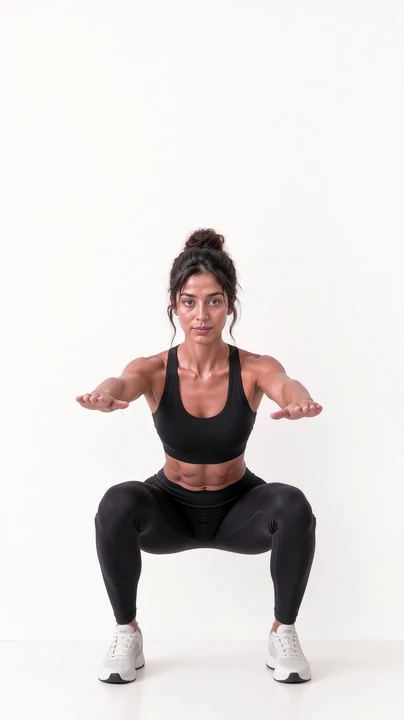
Squat · front view
✓ Both knees tracking where they should
This demonstration features a synthetic performer: Merissa, VeraForma's AI-generated fitness model.
Health questions
Brad's Fitness Evaluation, on your phone: the questions he asks a new client in person, and a movement screen on camera.
The same method Brad uses standing next to a client, built into the app.
It asks what you are living with — high blood pressure, diabetes, arthritis, osteoporosis, pregnancy and more — and changes what is on your menu and how hard it goes.
Tell it about the old knee or the bad shoulder once, and the programme trains around it.
"VeraForma does not assume you are healthy. It asks what I ask a new client in person, and when your answers call for a doctor's OK, your plan waits for it."
The squat screen
Prop your phone up where it can see all of you. If it needs to move, the app tells you where.
Front view
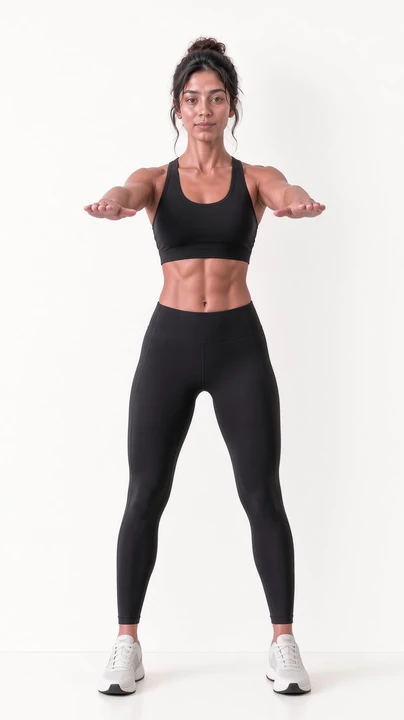
This demonstration features a synthetic performer: Merissa, VeraForma's AI-generated fitness model.
It reads you from the front
Side view
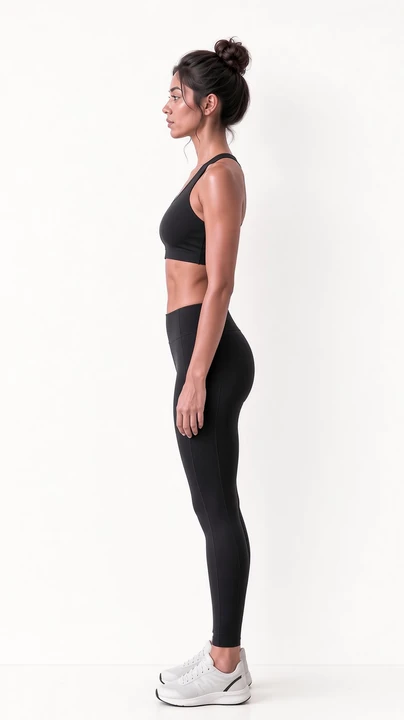
This demonstration features a synthetic performer: Merissa, VeraForma's AI-generated fitness model.
Then from the side, so nothing hides
Measured on you
This demonstration features a synthetic performer: Merissa, VeraForma's AI-generated fitness model.
It reads you head to toe and names what it finds, the way a trainer would.
Wrong angle? It tells you where to put the phone.
This demonstration features a synthetic performer: Merissa, VeraForma's AI-generated fitness model.
Your movement screen reads you from the front and from the side, so nothing hides.
No room to film? Use two photos instead.
Your screen checks each side separately, so a weaker side can't hide behind the stronger one.
What you get back
Squat · front view
This demonstration features a synthetic performer: Merissa, VeraForma's AI-generated fitness model.
When knees cave in, it names it like this:
1Knees move inward
Tight:
The muscles pulling you out of line, named for you.
Weak:
The muscles that should be holding you, named for you.
Faults named the way a trainer names them, with the muscles that are tight and the muscles that are weak behind each one.
You get the angle it measured, drawn on your body.
Double-check any finding with the same tests a trainer would use, each with a demo.
This part is free, and it stays free. Free
Your 3D body and your warm-up
At the end of your evaluation, see your findings on your own 3D body: what is tight, what is weak. Explore it any time with Premium. Free + Premium
What the screen finds is what your warm-up works on, so every session chips away at it. Premium
Your corrective work is built into your sessions, made from your own screen. Premium
Run your movement screen yourself and see the faults a trainer would name, free. Free With Premium, every phase after Phase 1 is rebuilt from your latest screen. Premium
We went looking for another app that does all of it, and we are still looking.
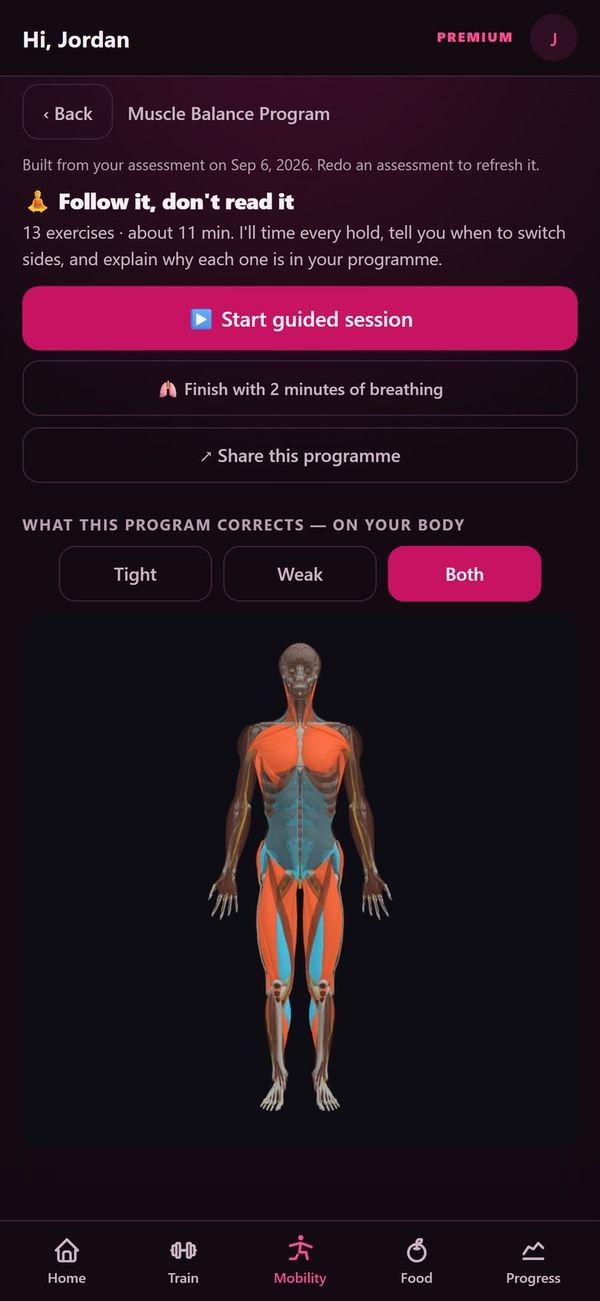
Real app screen, demo account. Premium
Posture
Snap your standing posture and see every lean marked up on your own photo, with the angle measured.
FreeSeated posture, and a way through the evaluation for anyone who can't stand to squat.
FreePosture school: six short lessons, including your desk set-up.
Free"Right now, crooked feels normal. We want straight to feel normal."
Standing posture · side
This demonstration features a synthetic performer: Merissa, VeraForma's AI-generated fitness model.
It reads you head to toe and names what it finds, the way a trainer would.
Your posture from two photos, marked up with the angles measured, and move-break reminders on your workday clock.
Re-screen
Re-screen as you go and see exactly what changed.
Left against right, drawn over the months.
Sport and the landing test
Tell it your sport and see what to train first.
FreeA quick jump test with your phone shows how you take off and land, with a replay of the moment that matters.
FreeSee how well you walk, so you know exactly what to work on.
FreeA handful of quick strength checks show where you're strong and where you're lagging, so you train the part holding you back.
FreeIf it hurts
Where it hurts isn't always where it starts. So the screen looks at the whole chain, the way a trainer would.
Tap where it hurts and see what usually sends pain there.
Something hurts today? Tell it, and today's session trains around it, or tells you it is one for a doctor or physio first.
Back to the movement you've been avoiding: a gradual way back, paced by how your body answers.
It tells you straight when something is one for a doctor first.
VeraForma is coaching, not medicine. It does not diagnose, treat or cure anything, and it does not replace your doctor or physio.
A few quick taps before you start, and today fits how you actually feel.
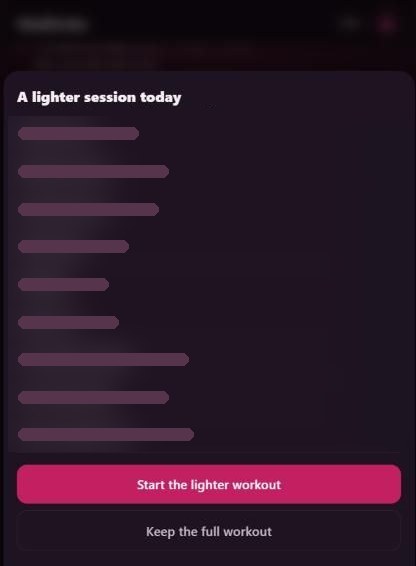
Bad night or very sore? Today gets lighter, you see exactly what changed, and one tap keeps the full workout.
A one-page report for your physio, free.
After your screen
No other app we could find lets you just start moving, names the exercise from your phone's camera mid-set, and, once you tap to confirm, checks your form on it.
Questions
Your movement screen is free, and it stays free.
Premium: $29.99 a month, or $249.99 a year (save 30%).
A trainer once a week runs about $238 a month. Premium is with you every workout, not one hour a week.
Get Premium here with a card, or in the Android app through Google Play.
Android and iPhone.
Get the Android app on Google Play. On an iPhone or a computer, open veraforma.app in your browser and start today.
The App Store app is in Apple's review.
You can still do it. Tell it about the old knee or the bad shoulder once, and the programme trains around it.
Can't stand to squat? Train seated, holding on or from a wheelchair, and still finish your evaluation.
VeraForma is coaching, not medicine. It does not diagnose, treat or cure anything, and it does not replace your doctor or physio.
The camera reads you on your phone. Your form-check video stays on your phone unless you choose to send it.
What syncs from a watched set is data, never a picture.
You decide what else goes: a meal photo or a gym scan is sent to be read by AI; a photo or set you choose to send Brad goes to him; and a bug report or a wall post goes where you send it.
Prop your phone up where it can see all of you. If it needs to move, the app tells you where.
No room to film? Use two photos instead.
Your programme is built around the kit you have: a full gym, dumbbells, bands, or nothing at all.
Yes, a free one. Your training, your food and your screen results sync to it.
Free account. Brad's questions. One squat on camera. Then your results.
Scan to open it on your phone.